
Fixed asset register
A fixed asset register that stays true
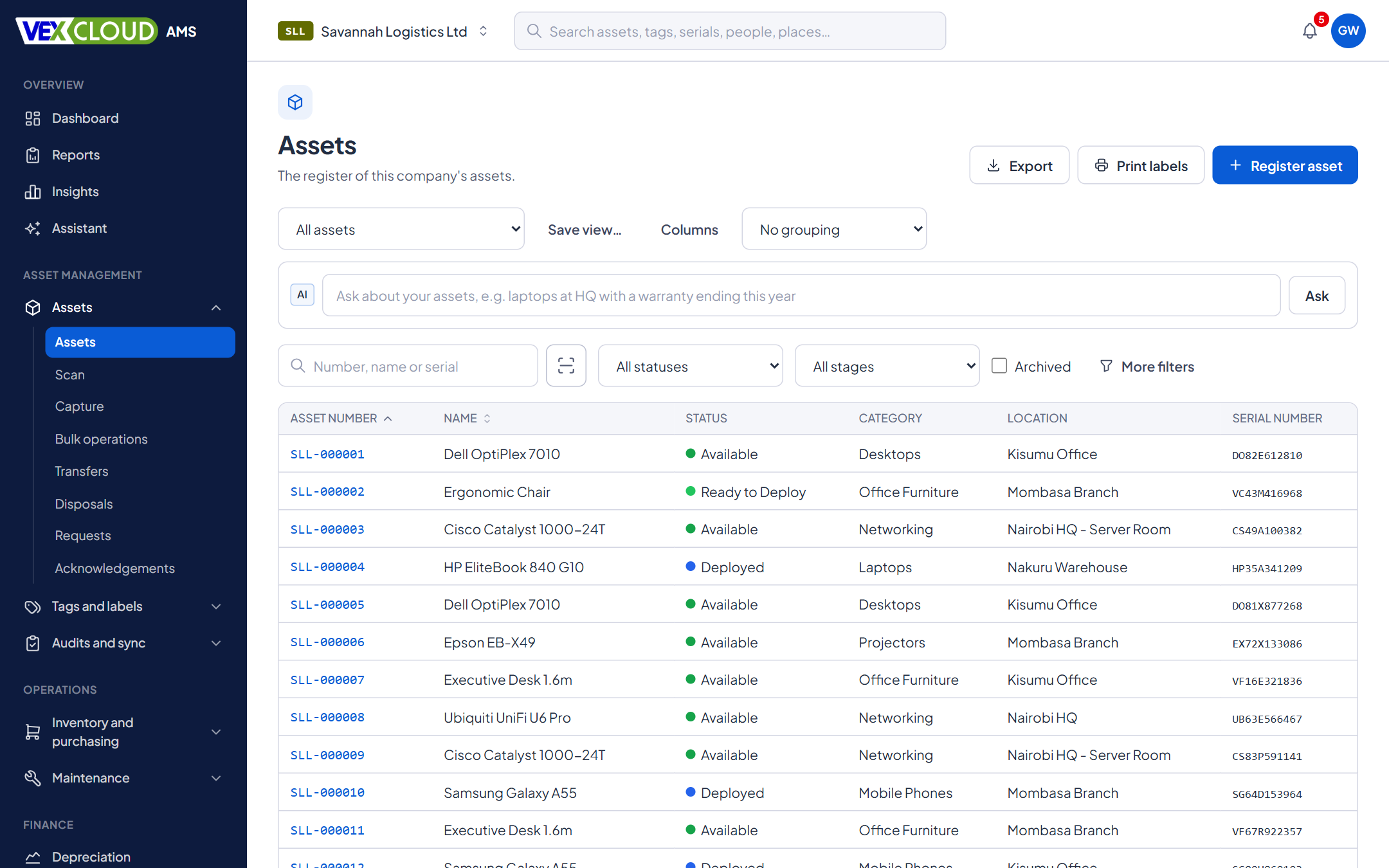
One record for every asset: what it is, where it is, who holds it, what it cost and what it is worth now. Search it, filter it, and trust it, because every change is recorded.
The problem
Most registers start as a spreadsheet that one person owns. Over time columns drift, locations are spelled five ways, nobody knows which copy is current, and when the auditors ask where an asset is, the honest answer is “probably there”.
How it works in VexCloud AMS
01
One complete record per asset
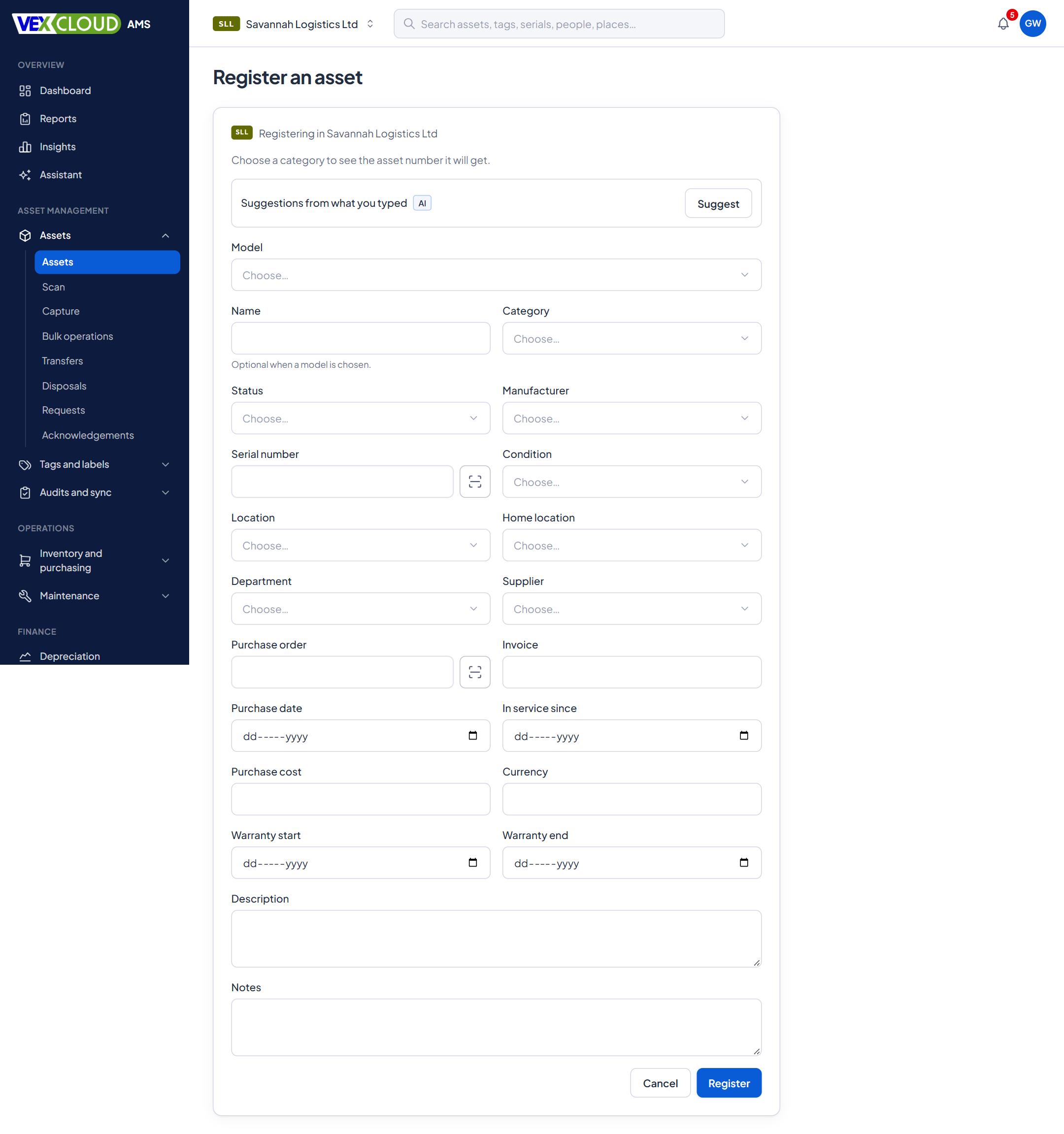
Each asset carries its number, name, category, status, manufacturer and model, serial number and condition. It also has its current location and home location, department, supplier, purchase order and invoice, purchase date, in-service date, cost and currency, warranty start and end, and free notes.
Choose a category when you register an asset and the form shows the number it will get.
02
Numbers that never clash
You set the pattern. {CO}/{CAT}/{SEQ:6} gives ABC/FA/000001, with company, category, location, department and year available as parts. Different categories can use different patterns.
Numbers are issued under a lock, so people adding assets at the same moment never get the same number. We tested 20 simultaneous registrations: all distinct, none skipped. Once issued, a number stays with the asset for good.
03
Locations and categories as trees
Locations nest the way your sites do: country, site, building, floor, room. Categories nest too. Filter on a branch and you get everything beneath it.
Missing a location while you are registering an asset? Create it there and then, without leaving the form.
04
Photos and documents
Keep a gallery per asset with a primary photo, captions and before and after shots. Attach invoices, warranty documents and manuals to the record they belong to. Uploads are checked before they become available to download.
05
Custom fields for everything else
Add the fields your organization needs: text, numbers, currency, dates, yes or no, dropdowns, multi-select, or a link to a person, a location or another asset. Group them into sets by category so a vehicle asks for a registration number and a laptop does not.
06
Find anything, keep your views
Search across asset numbers, tags, serial numbers, people and places from one box. Narrow the list with filters, then save the combination of filters, columns, sorting and grouping as a view, such as “Nairobi laptops”, and come back to it in one click. Export the list to Excel or CSV.
07
Who has it, and what happened to it
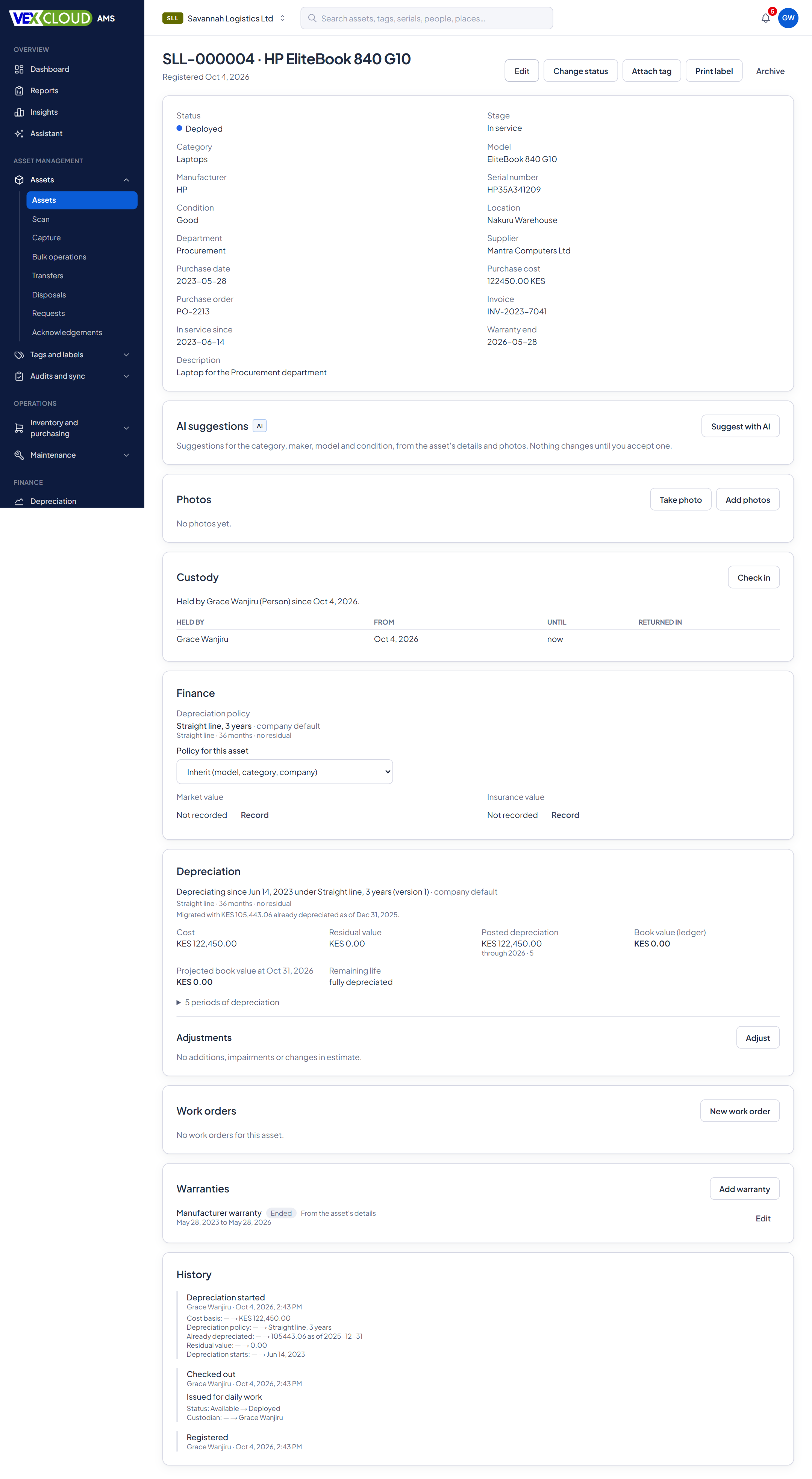
Every asset has a history of what happened: registered, moved, assigned, tagged, verified, disposed. Custodians are people, not logins, so you can assign equipment to staff who never sign in. Statuses are yours to name, and each maps onto a fixed lifecycle stage so reports stay consistent.
The register mirrors how your organization is laid out
Give an asset a place and it inherits the whole path. Report on a floor, a branch or the country with the same filter.
- CountryKenya
- SiteNairobi HQ
- RoomServer Room
- SiteMombasa Branch
- SiteKisumu Office
ABC/FA/000001
An asset number built from company, category and sequence.
Details
- Core fields
- Number, name, category, status, manufacturer, model, serial, condition
- Places and people
- Location, home location, department, supplier, custodian
- Purchase
- PO, invoice, purchase date, in-service date, cost, currency
- Warranty
- Start and end dates; alerts at 90, 60 and 30 days or your own thresholds
- Numbering
- Pattern per category: company, category, location, department, year, sequence
- Locations
- Nested hierarchy with inline creation
- Photos
- Gallery, primary photo, captions, before and after
- Documents
- Attached to the asset, checked on upload
- Custom fields
- Text, numbers, currency, dates, dropdowns, multi-select, references
- Search and views
- Global search, advanced filters, saved views, export
Related features
- Barcode and QR taggingDesign tag templates, number them, print in batches and track every reprint.
- Physical asset auditsScan what is really there and reconcile it against the register while you count.
- DepreciationPolicies by company, category, model or asset, with a ledger you can reproduce.
County governments and state agencies: registers that stand up to the Auditor-General.
Why a register needs physical tags: how KRA wear-and-tear allowances relate to physical fixed asset tagging.
FAQ
Questions on fixed asset register
Can I keep my own asset numbers?
Yes. Numbers follow a pattern you set, and you can allow typed numbers when your tags already carry them. Typed numbers must still be unique. An issued number never changes, even if the asset moves or is recategorized.
Does every asset need a tag?
No. You can register an asset first and attach a tag later, or register it from a tag you have already printed. Until an asset has a tag, its asset number can be printed on a label.
Can someone hold an asset without a login?
Yes. Custodians are person records kept separate from user logins, so a staff member can be assigned laptops and tools without ever signing in.
Can I bring in my existing Excel register?
Yes. Upload an Excel or CSV file, map the columns, and check the validation results before anything is saved.
See your own assets in VexCloud AMS.
Book a 30-minute demo.