
Maintenance and warranty
Service schedules and warranties that remind you before they lapse
Record the warranty, plan the service, open the work order and see what it cost. For vehicles, generators, machinery, medical and IT equipment.
The problem
The generator service was due last month, the laptop warranty ended last week, and the supplier would have replaced the battery for free. Dates live in someone's diary, and the diary is on leave.
How it works in VexCloud AMS
01
Warranties on the record
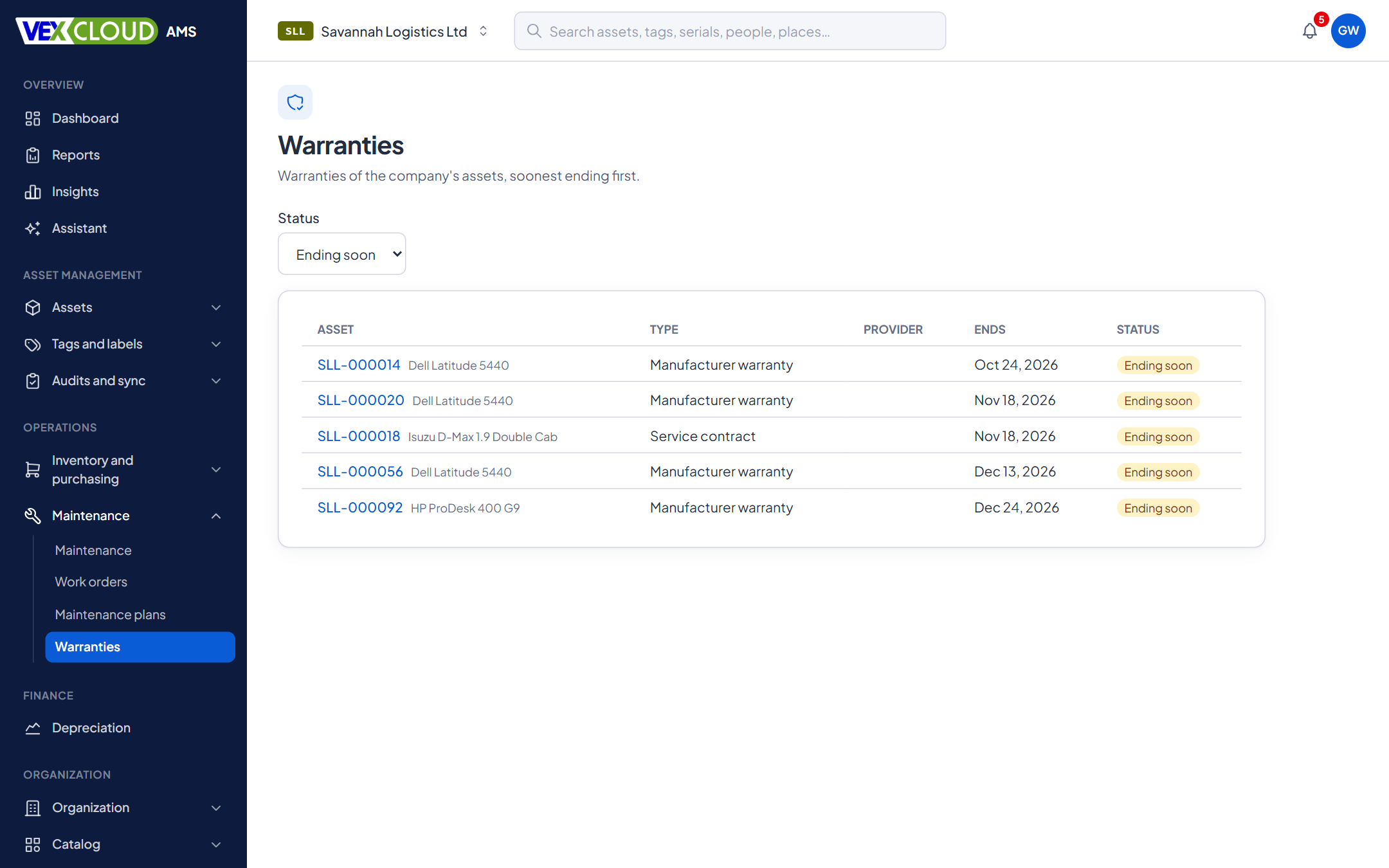
Each warranty has a provider, type (manufacturer, extended or service contract), start and end dates, terms, contract reference, cost and documents. Status is worked out from the dates: upcoming, active, expiring soon, expired. The warranty dates on an asset's own record are kept in step automatically.
02
Alerts that go to the right people
Every morning VexCloud AMS checks for warranties approaching their end and tells the people who manage warranties, once per threshold. If the dates change, the count starts again. Add an automation rule if someone else should hear too.
03
Plans by calendar or meter
A plan says what is done, how often, and which assets, models or categories it covers: every 6 months, every 10,000 km, or whichever comes first. It has a lead time, so work orders open before the date, and a checklist that is copied into each one.
Meter readings are recorded once and used for both maintenance and depreciation by units of production.
04
Work orders, parts and downtime
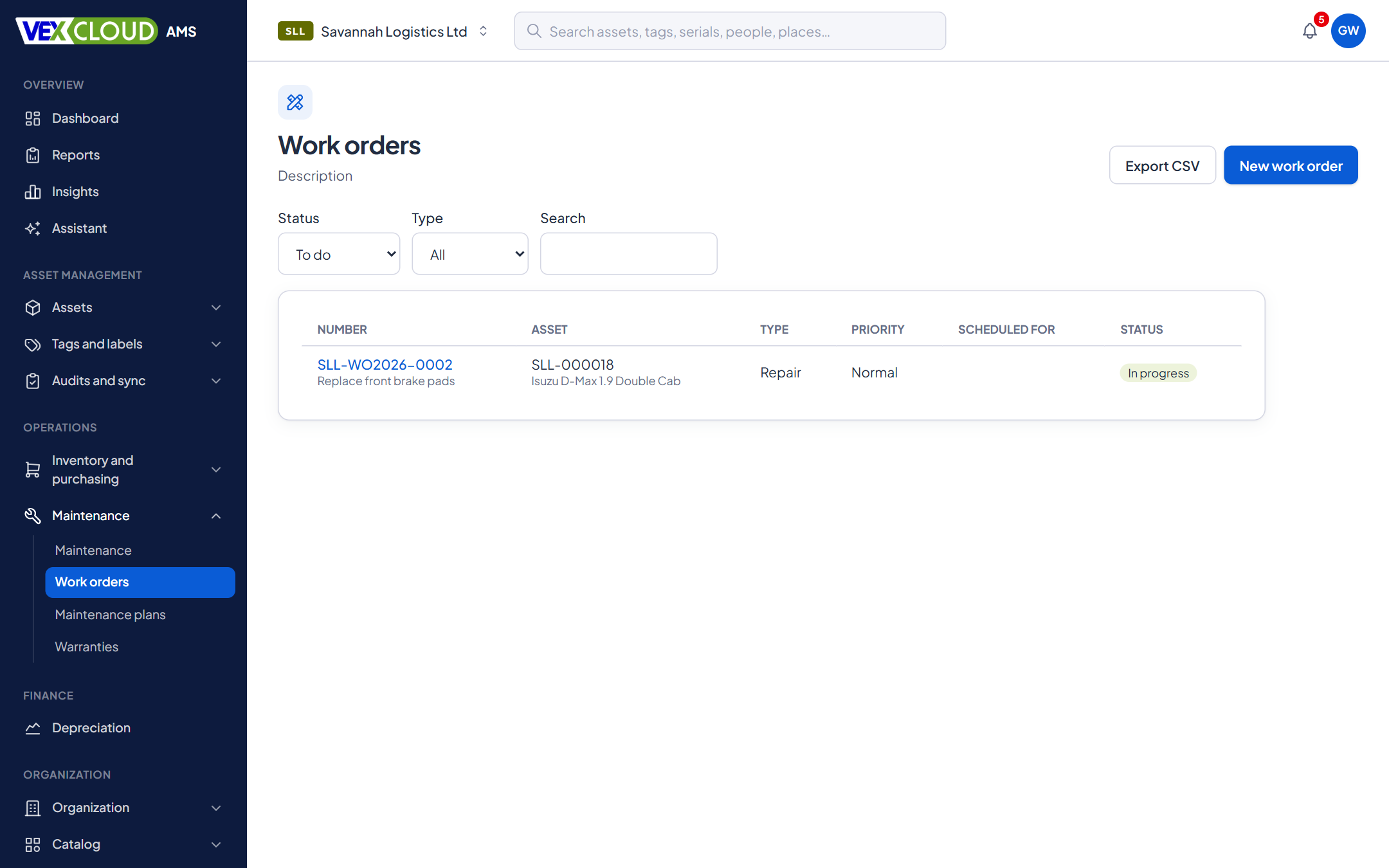
A work order covers preventive work, corrective work or an inspection, with priority, provider, technician, scheduled date and costs. Start it and the asset can go out of service; complete it and the asset comes back to the status it had. Parts come out of stock onto the order, and a part used by mistake is taken back, not deleted.
05
What it costs, and how long it was down
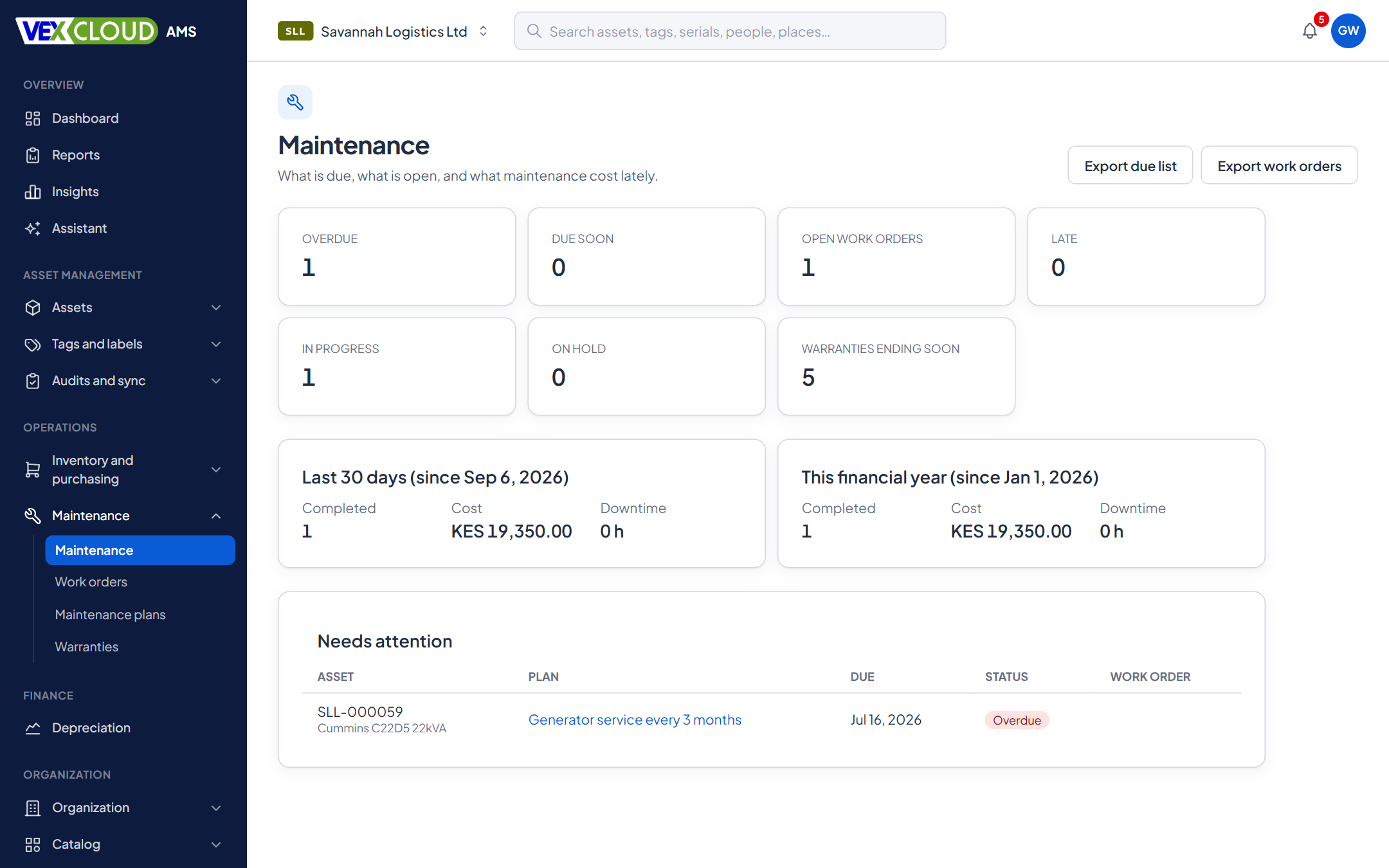
The maintenance overview counts what is due, overdue and late, and sums completed work over the last 30 days and the financial year: how many, what it cost and how much downtime. Each asset shows its own totals, and the work orders export to CSV.
Details
- Warranty types
- Manufacturer, extended, service contract
- Warranty alerts
- Default 90, 60, 30 days and at end; thresholds are yours
- Plan frequency
- Days, weeks, months, years, meter units, or whichever comes first
- Plan targets
- Assets, models or categories
- Work order types
- Preventive, corrective, inspection
- Work order states
- Open, in progress, on hold, completed, cancelled
- Out of service
- Optional; returns to the previous status
- Parts
- From stock; components installed, consumables used
- Costs
- Labour, outside providers and parts, in the company currency
- Exports
- Work orders and schedules to CSV
Related features
- Automation and alertsRules that watch your assets and tell the right person.
- Fixed asset registerNumbers, serials, locations, custodians, values, photos and documents, with history.
- DepreciationPolicies by company, category, model or asset, with a ledger you can reproduce.
Hospitals and healthcare: know when the equipment is due for service and when its warranty ends.
Equipment that moves around needs tags that stay put. See tamper-proof asset tags.
FAQ
Questions on maintenance and warranty
When are warranty alerts sent?
By default at 90, 60 and 30 days before a warranty ends, and once when it has ended. You can set your own thresholds, up to six, from 1 to 365 days.
Can an asset have more than one warranty?
Yes. A manufacturer warranty can be followed by an extended warranty or a service contract, each with its own provider, dates, terms, cost and documents.
Does an asset under repair stay on the register?
Yes. A work order can take the asset out of service while the work is open and return it to its previous status when the work completes or is cancelled. Custody is kept.
Can service be scheduled by usage, not only by date?
Yes. A plan can fall due every N days, weeks, months or years, every N units on a meter such as kilometres or hours, or whichever comes first.
Can I record the parts used?
Yes. Parts are taken from stock onto the work order, and costs for labour, outside providers and parts add up on the asset.
See your own assets in VexCloud AMS.
Book a 30-minute demo.