
Automation and alerts
Rules that watch your assets for you
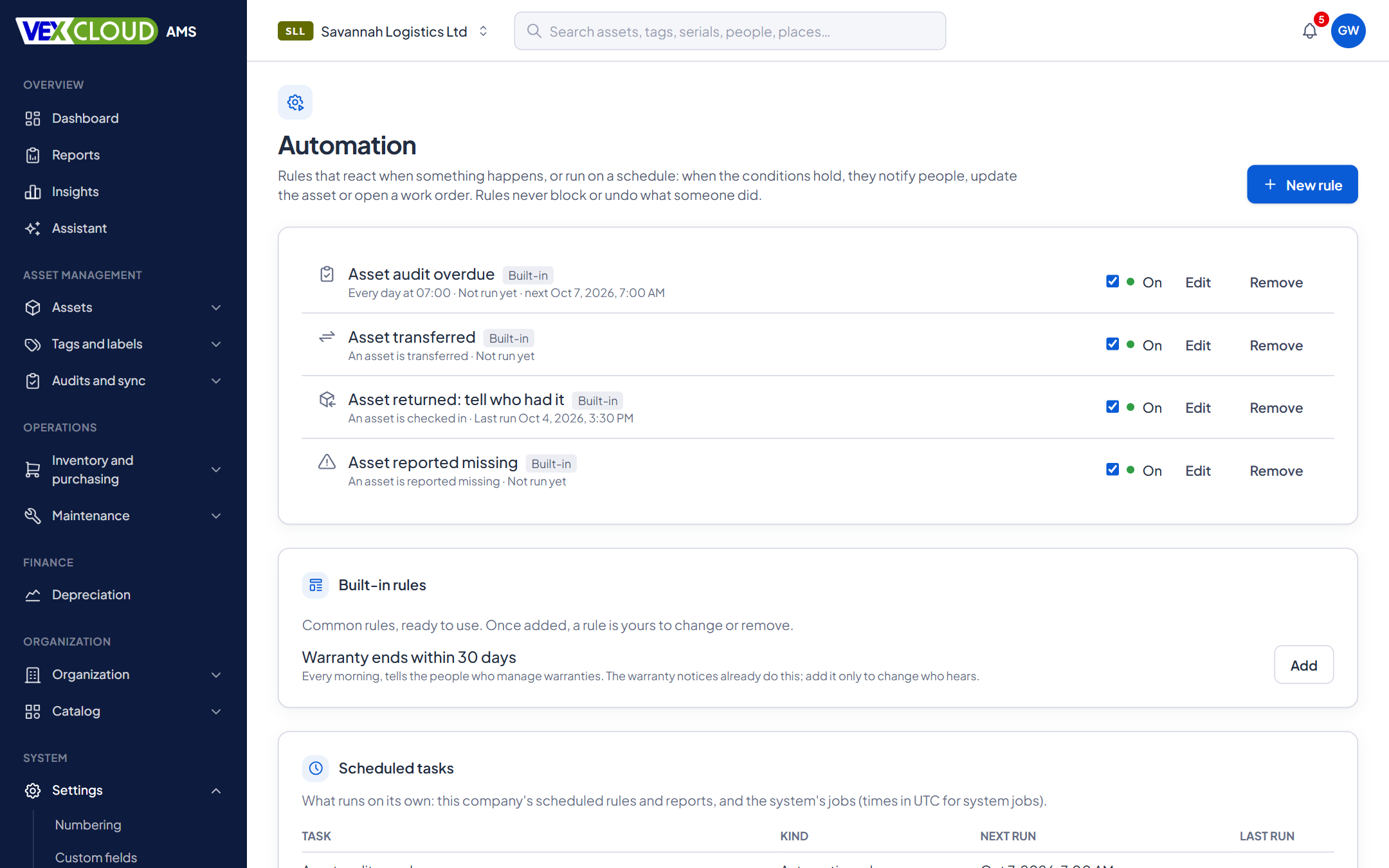
Say what should happen, and to whom, when something occurs or on a schedule. VexCloud AMS notifies people, updates a record or opens a work order, and keeps a run history.
The problem
Important events happen quietly. An asset is reported missing and nobody who could act hears about it. A warranty ends. An audit passes its due date. People find out when someone asks.
How it works in VexCloud AMS
01
Reacts to events, or runs on a schedule
A rule starts from something that happened, such as an asset checked in, transferred or reported missing, or from a schedule, such as every morning at 07:00. It checks conditions on the asset, and then acts.
02
Ready-made rules
Common rules are installed for you, and you can change or remove each. Add more from templates, or build your own with conditions such as warranty ends within N days, or audit overdue.
03
Try before you trust
A dry run lists what a rule would match and what it would do, with nothing sent or changed. Each rule keeps a history of runs.
04
Webhooks for your own systems
Subscribe a system to the events it needs. Deliveries are signed so you can verify them, retried when your system is down, and recorded in a delivery history. A subscription that keeps failing is disabled so it does not pile up.
Built in
Five rules you get on day one
IfWhen an asset is reported missing
Notify
ThenPeople who can edit assets, and the custodian
IfWhen an asset is checked in
Notify
ThenWhoever had it before
IfWhen an asset is transferred
Notify
ThenThe custodian, and people who can transfer assets
IfEvery morning, for assets whose audit is overdue
Notify
ThenPeople who can create audits
IfEvery morning, for warranties ending within 30 days
Notify
ThenPeople who manage warranties
The warranty rule is offered as a template: add it if you want to change who hears about warranty endings.
Details
- Triggers
- Events, schedules and thresholds
- Conditions
- Fields on the asset, combined with all or any
- Actions
- Notify, update the asset, open a work order
- Recipients
- By permission, custodian, previous custodian
- Channels
- In-app, email, Android push
- Safety
- Dry runs, rate limits, no rule-triggers-rule loops
- History
- A run record per rule and occurrence
- Webhooks
- Signed, retried, with delivery history
- Plan
- Automation is part of ENTERPRISE and ONE-OFF; webhooks of ONE-OFF
- Attribution
- Changes made by a rule are marked as such
Related features
- Maintenance and warrantyService plans, work orders and warranty alerts before they lapse.
- Check-in, check-out and transfersKnow who has every asset, and since when. Bulk check-in by scanning.
- Reports and dashboardsThe registers and schedules finance and auditors ask for, exported to Excel and PDF.
NGOs and donor-funded projects: be told when a donor-funded asset moves, is lost or reaches the end of its warranty.
Alerts depend on records you trust. Read how Vexar approaches the tagging process.
FAQ
Questions on automation and alerts
Can a rule change my assets?
Rules can notify people, update an asset or open a work order. Anything a rule changes runs with the permissions of the person who wrote the rule, limited to what that action needs, and is attributed to the rule. Rules never block or undo what someone did.
Can I test a rule before turning it on?
Yes. A dry run shows which assets the rule would match and what it would do, without doing it.
Will a rule flood people with messages?
Scheduled rules act once per asset, and there are limits on how much a rule can do in one run. A rule that triggers another rule is prevented.
Can other systems be told when something happens?
Yes. Webhooks send signed events to your own systems, with retries and a delivery history. A webhook that keeps failing is switched off.
How do people receive notifications?
In the app, by email and, on Android, as pushed notifications. Each person has preferences for what they receive.
See your own assets in VexCloud AMS.
Book a 30-minute demo.